Courts
Courts are the bookable resources in your club — tennis courts, padel courts, pickleball courts, or any other playing surface. Members and guests book them from a live availability calendar on your public website.
Booking calendar
Every court is listed on your club's /courts page with a day-by-day availability grid. Visitors pick a date, see which slots are free on each court, and book directly.
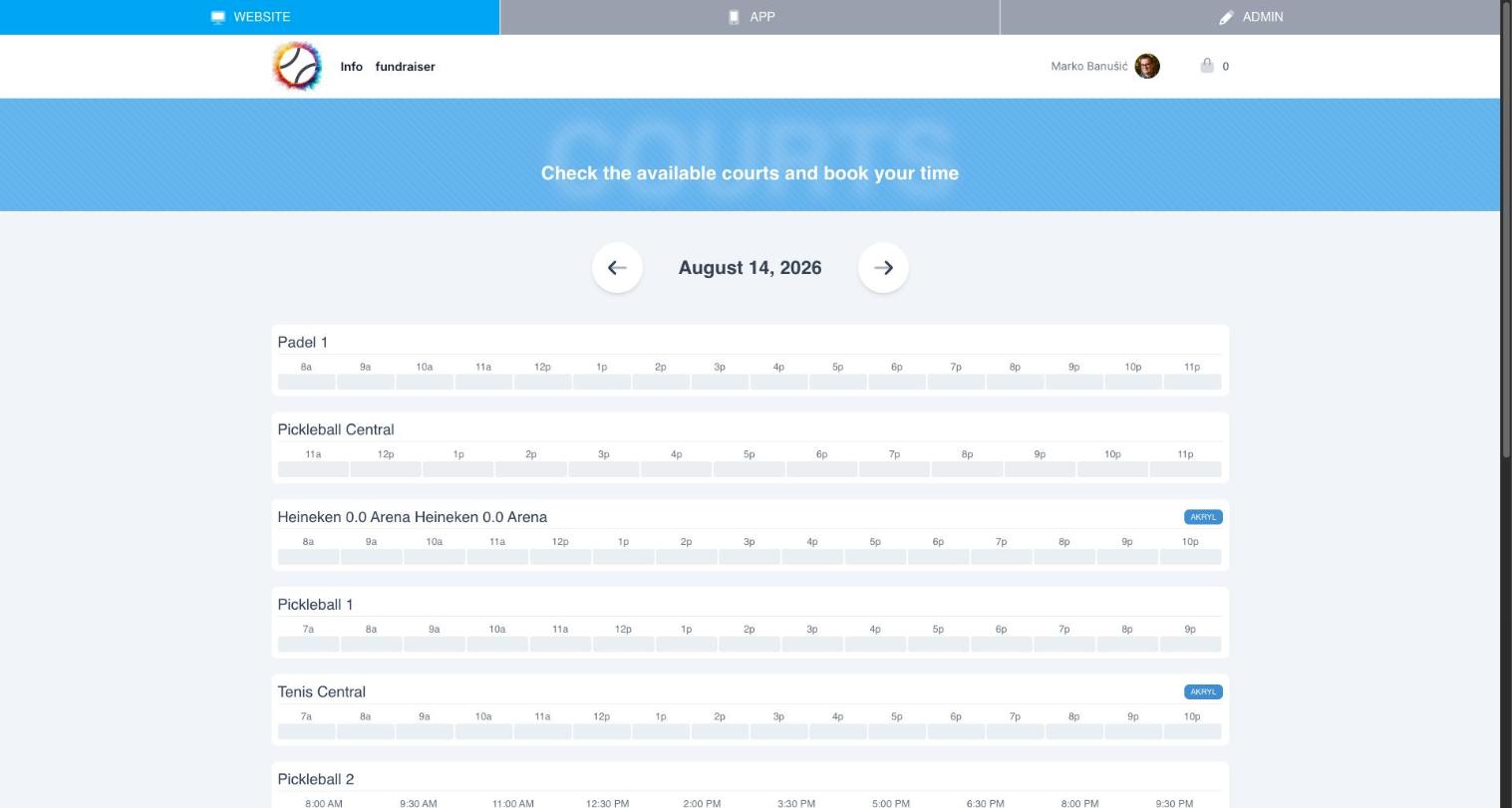
Courts with hardware access control (see Integrations) show a badge, such as a surface type or lock status, next to their name.
Reservation settings
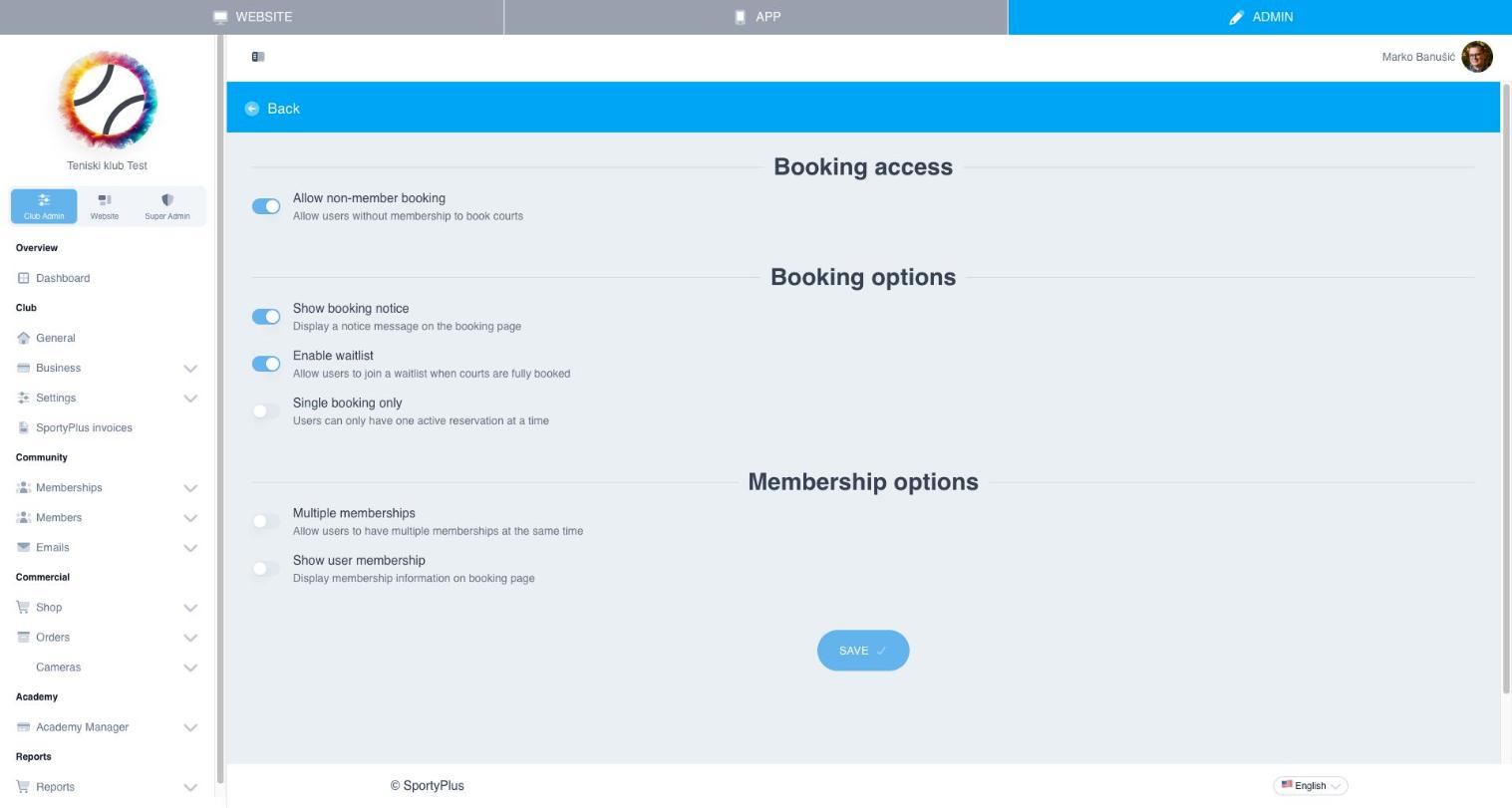
Go to Club Admin → Settings → Reservations to control how bookings behave club-wide:
- Allow non-member booking — let users without an active membership book courts
- Show booking notice — display a custom message on the booking page
- Enable waitlist — let members join a waitlist when a court is fully booked
- Single booking only — restrict users to one active reservation at a time
- Multiple memberships / Show user membership — control how membership status interacts with booking
Access control and lights
Connect physical access controls and lights to your courts so opening a court and turning on the lights happens automatically when a reservation starts. See Integrations for supported hardware (Weblock, Shelly, Salto).