Website builder
Every SportyPlus club gets a public website built from content modules — Hero, Pages, News, Events, Coaches, Gallery, and more. Turn modules on or off, reorder them, and edit their content without touching code.
Manage your website from the Website tab in the admin sidebar switcher (next to Club Admin and Super Admin).
Modules
Website → Modules is where you decide which sections appear on your homepage, and in what order. Drag active modules to reorder them, or add one from the inactive list on the right.
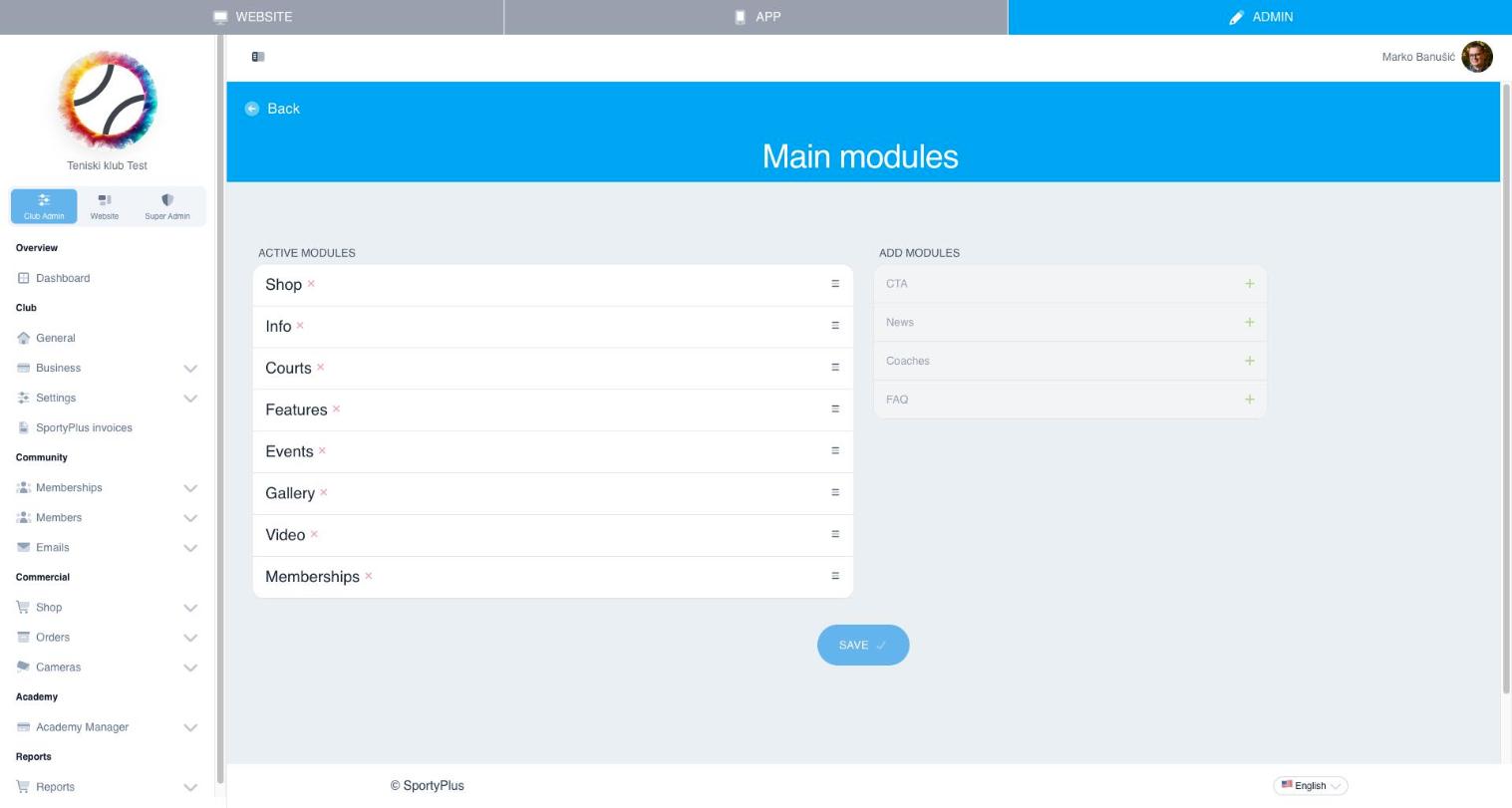
Each module (Shop, Courts, Features, Events, Gallery, Video, Memberships, News, Coaches, FAQ, CTA...) also has its own settings page where you toggle it independently and edit its content — see the pages below.
Navigation
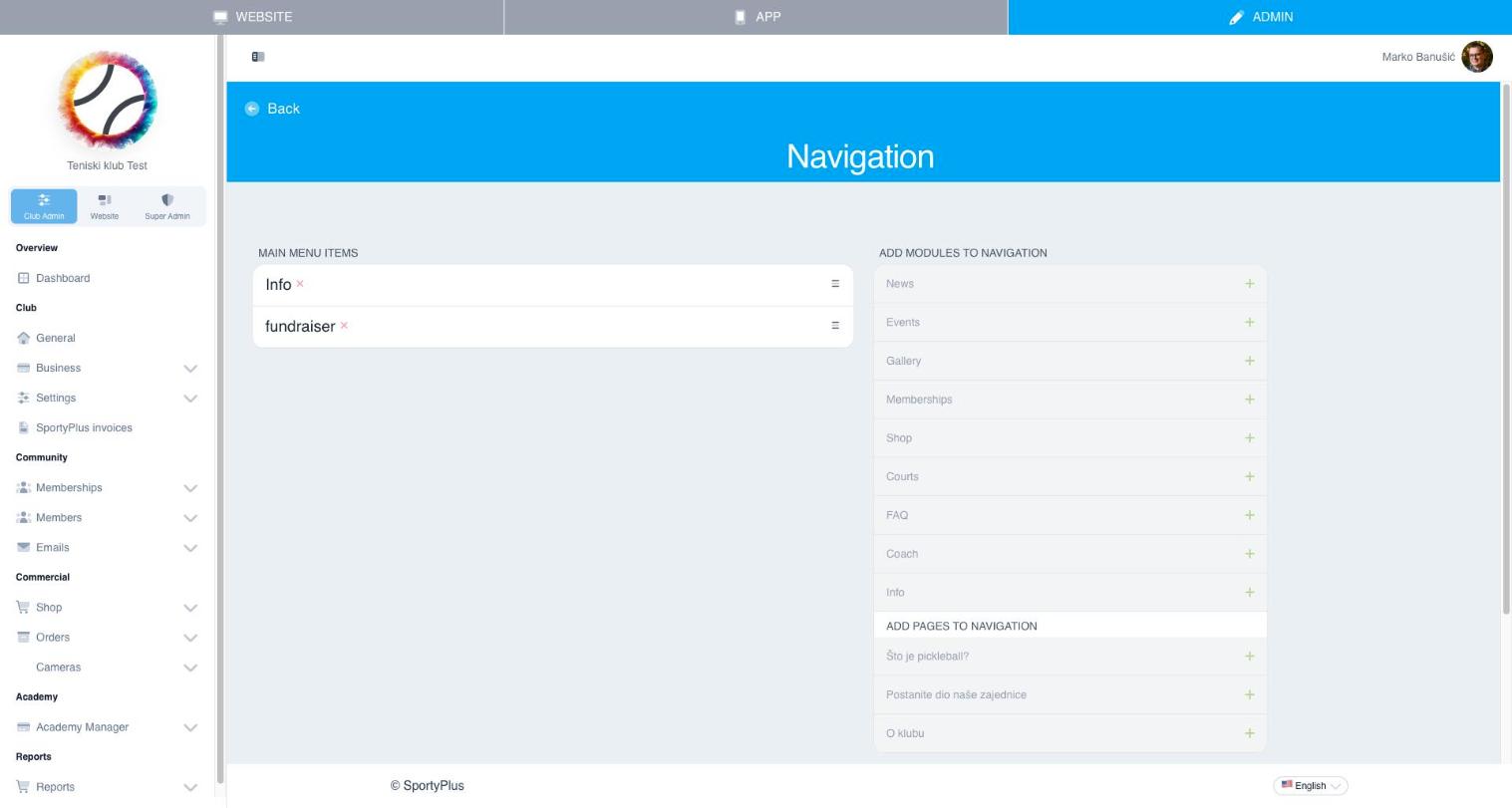
Website → Navigation controls the links shown in your site's main menu. Add any content module or published page to the menu, and reorder items by dragging.
Styles
Website → Styles lets you customize the visual theme of your public website — colors and branding — without editing code.
What's next
- Pages, hero and footer — homepage banner, custom pages, call-to-action, footer
- News and events — announcements and club events
- Coaches and gallery — coach profiles, photo gallery, video
- FAQ and sponsors — frequently asked questions, sponsor logos