Interface
Memberships
Here we learn how to manage membership plans
Membership plans define the pricing and booking rules a member gets once they subscribe — how far ahead they can reserve a court, how late they can cancel, and whether they're limited in how many active reservations they can hold.
Manage plans from Club Admin → Community → Memberships.
Membership plans
Each plan can define:
- Reservation span — how many days in advance a member can book
- Cancelation range — how close to the start time a member can still cancel
- Limit on total active reservations — cap on simultaneous bookings
- Included products — shop products bundled with the plan
- Price — free, or a fixed price with a payment interval (e.g. yearly)
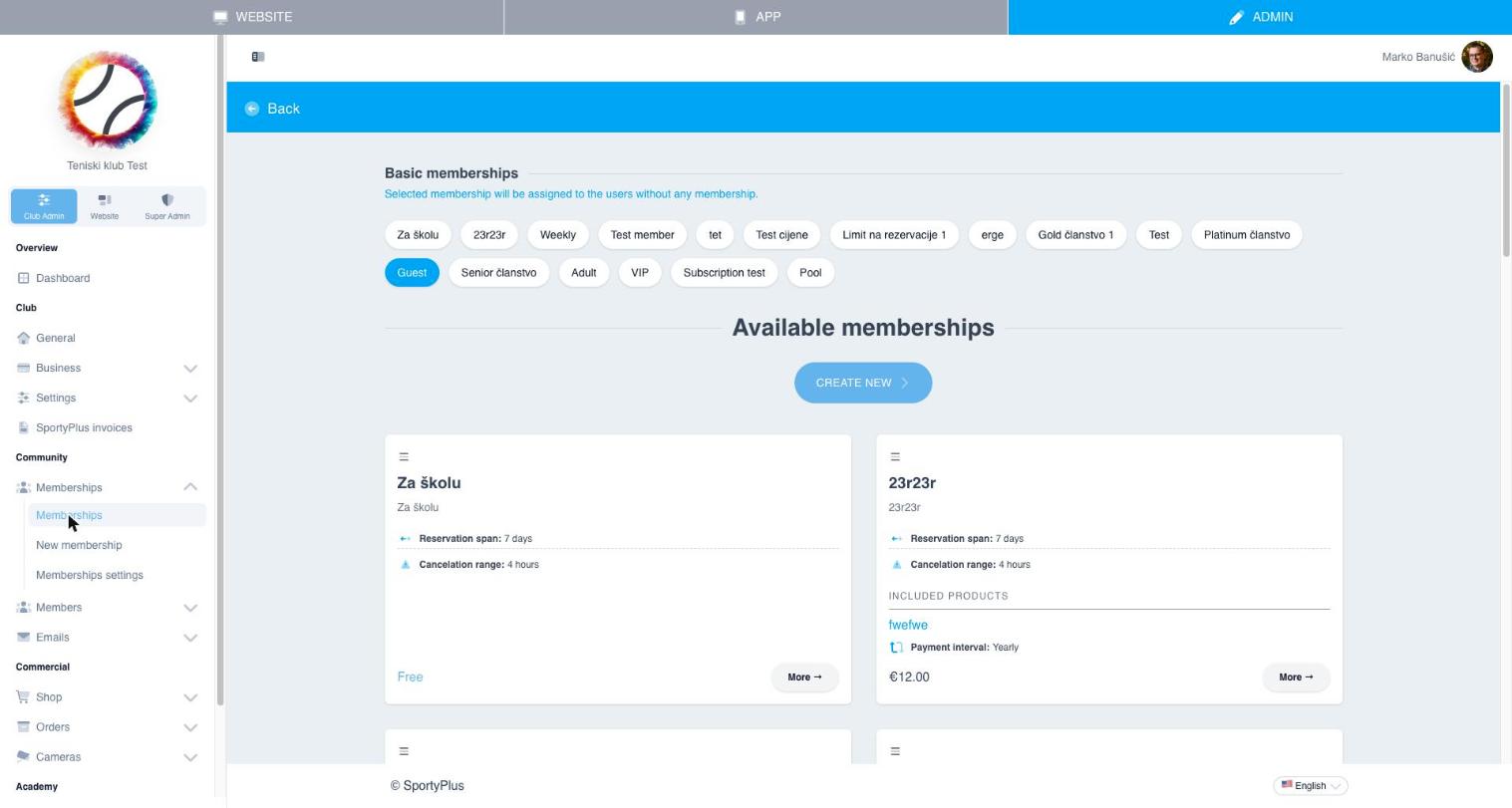
Use Create new to add a plan, or open an existing card with More to edit it.
Basic membership
At the top of the page you can pick a basic membership — the plan automatically assigned to users who don't hold any other membership. This is typically a free "Guest" tier.
Membership settings
Memberships → Membership settings controls plan-wide behavior, such as whether the module is shown on the public website.