Member management
Members are the people who use your club: they sign up on your public website, hold a membership plan, and book courts. Manage them from Club Admin → Community → Members.
Member list
The member list shows every registered user, their current membership plan, and whether auto-renew is enabled for their membership.
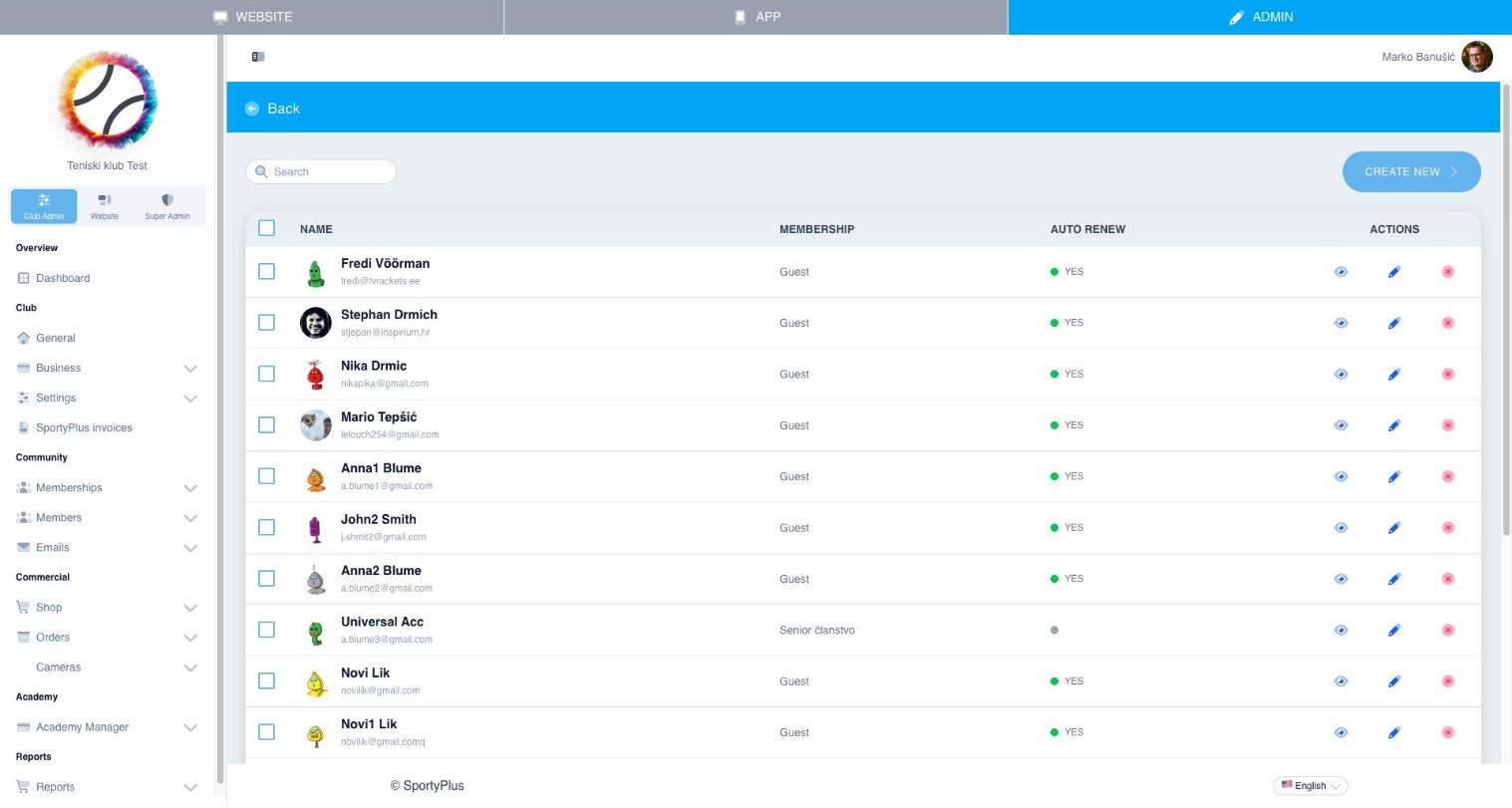
From the actions column you can:
- View a member's profile
- Edit their details and membership
- Remove a member
Use Create new to add a member manually, for example someone who signs up in person.
Pending requests
If your club requires manual approval for new sign-ups (see Settings → Signup), new registrations appear under Members → Pending requests until an admin approves or rejects them.
Roles and permissions
Staff accounts (admins, cashiers, trainers) are assigned roles under Club Admin → Settings → Roles. Each role controls which parts of Club Admin a staff member can access — for example, a cashier can process orders but not change club settings.