Interface
Payments
Here we learn how to manage payments
SportyPlus handles payments for reservations, memberships, shop orders, and academy fees through a payment gateway you connect once for the whole club.
Payment gateways
Go to Club Admin → Business → Payment gateway to connect a provider:
- Stripe Express — card payments, with a test mode for trying things out before going live
- PayFast — card payments
- Bank transfer — customers pay via manual bank transfer
- E-wallet — pay from an internal club wallet/credit balance
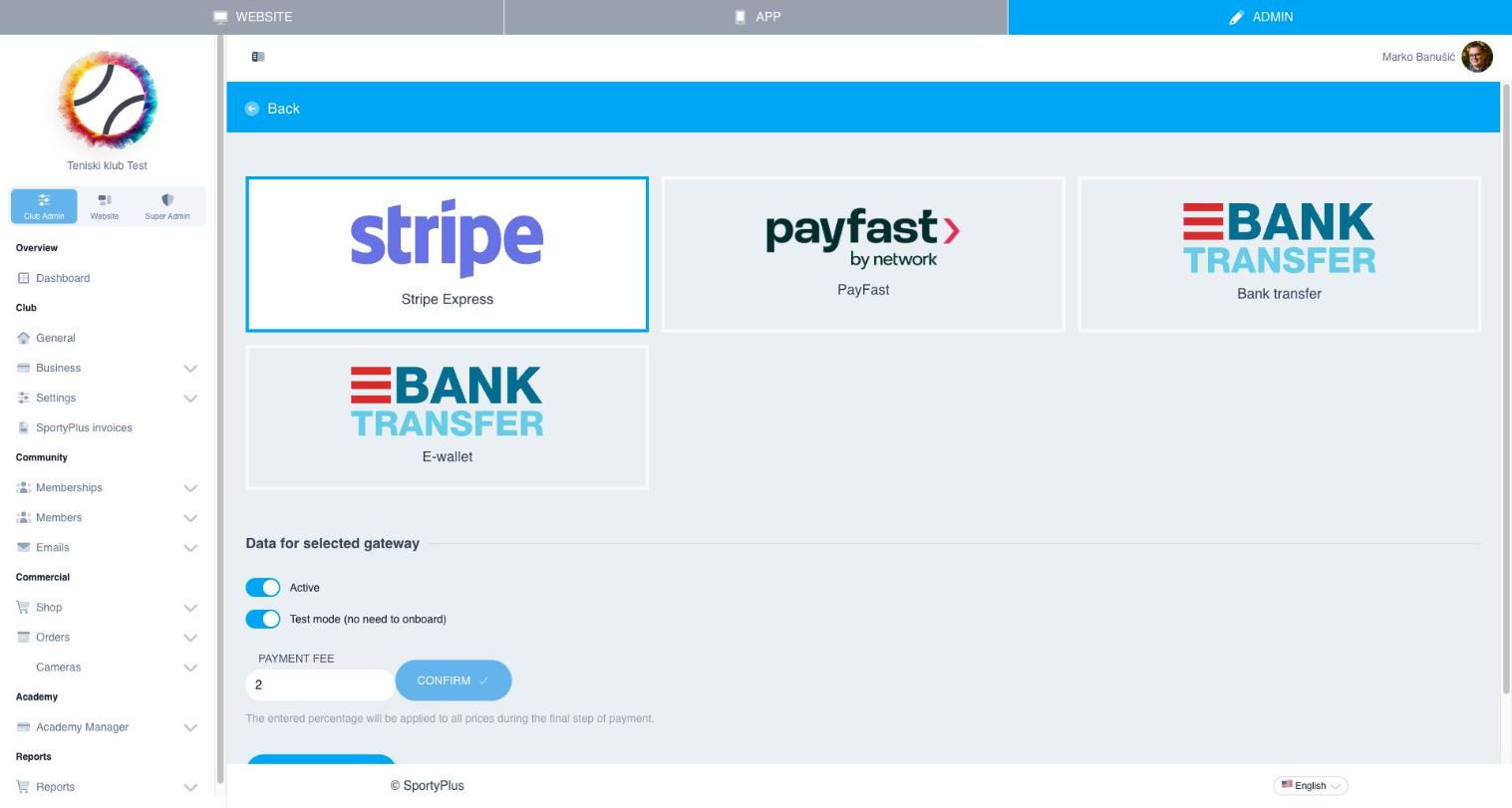
Each gateway can be activated independently and has its own payment fee percentage, applied on top of prices at checkout.
Orders
Club Admin → Commercial → Orders lists every order placed in your club — shop purchases, membership subscriptions, event tickets, and academy fees.
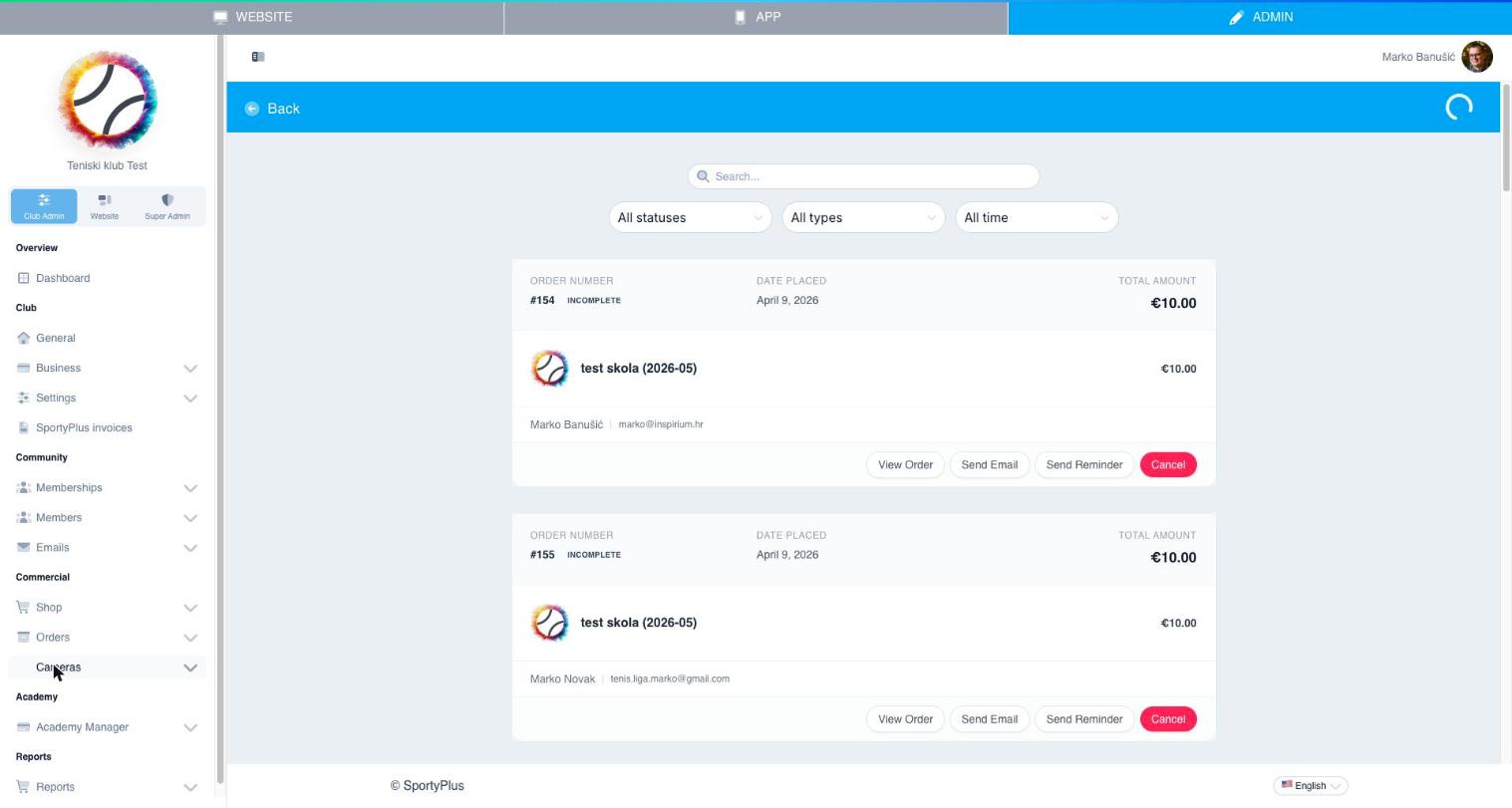
From an order you can view details, send a copy by email, send a payment reminder, or cancel it.
- Invoices — generated invoices for completed orders
- Refunds — process a refund for a completed order
- New order — create an order manually, e.g. for a walk-in payment
Reports
For payment totals and card-transaction detail, see Reports.