Court prices per membership
Every membership can have its own court prices. Members might pay 15 € for a slot that costs a guest 26 €, or play cheaper in the mornings. A member pays the price of their own membership. Everyone without a membership pays the price of your basic membership.
Prices are set per court, in the member app. Open the App tab at the top of the admin, then the menu, then Court management. You can also go straight to /app/admin/courts on your club's address.
How prices fit together
- Start with the basic membership. Its prices are the base for everyone, and a court can only be booked in hours that have a price. See Court prices.
- A membership's prices replace the base price only in the hours you set them. In every other hour, its members pay the base price. You only need to enter the hours where a membership's price is different.
- The price is per booking slot. That is 30, 60 or 90 minutes, depending on the court's Reservations setting. A one-hour booking on a 30-minute court costs two slots.
Entering prices
On Court management, choose Prices on the court's card. The prices are listed by membership.
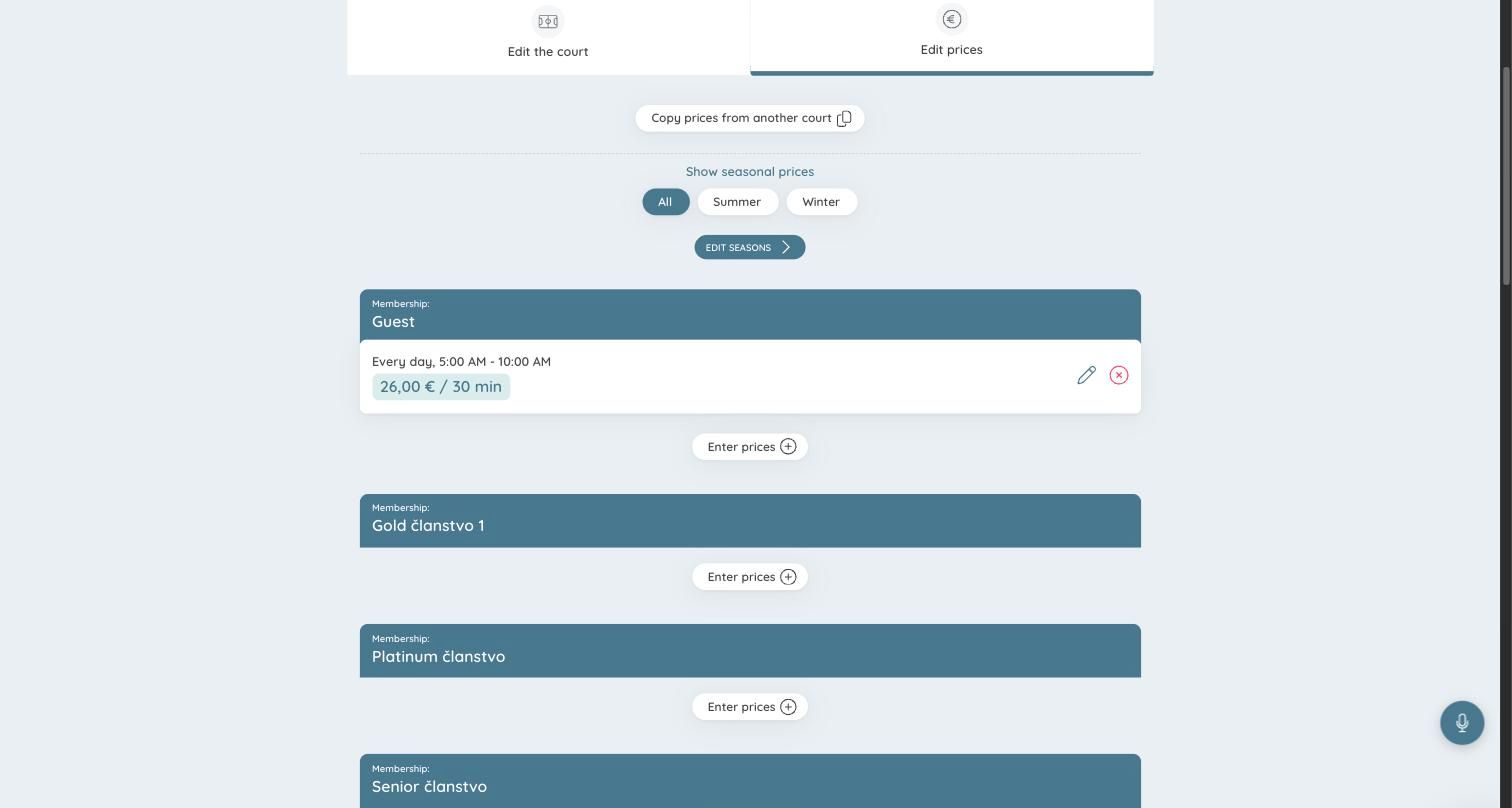
Choose Enter prices under the membership, then go through the steps:
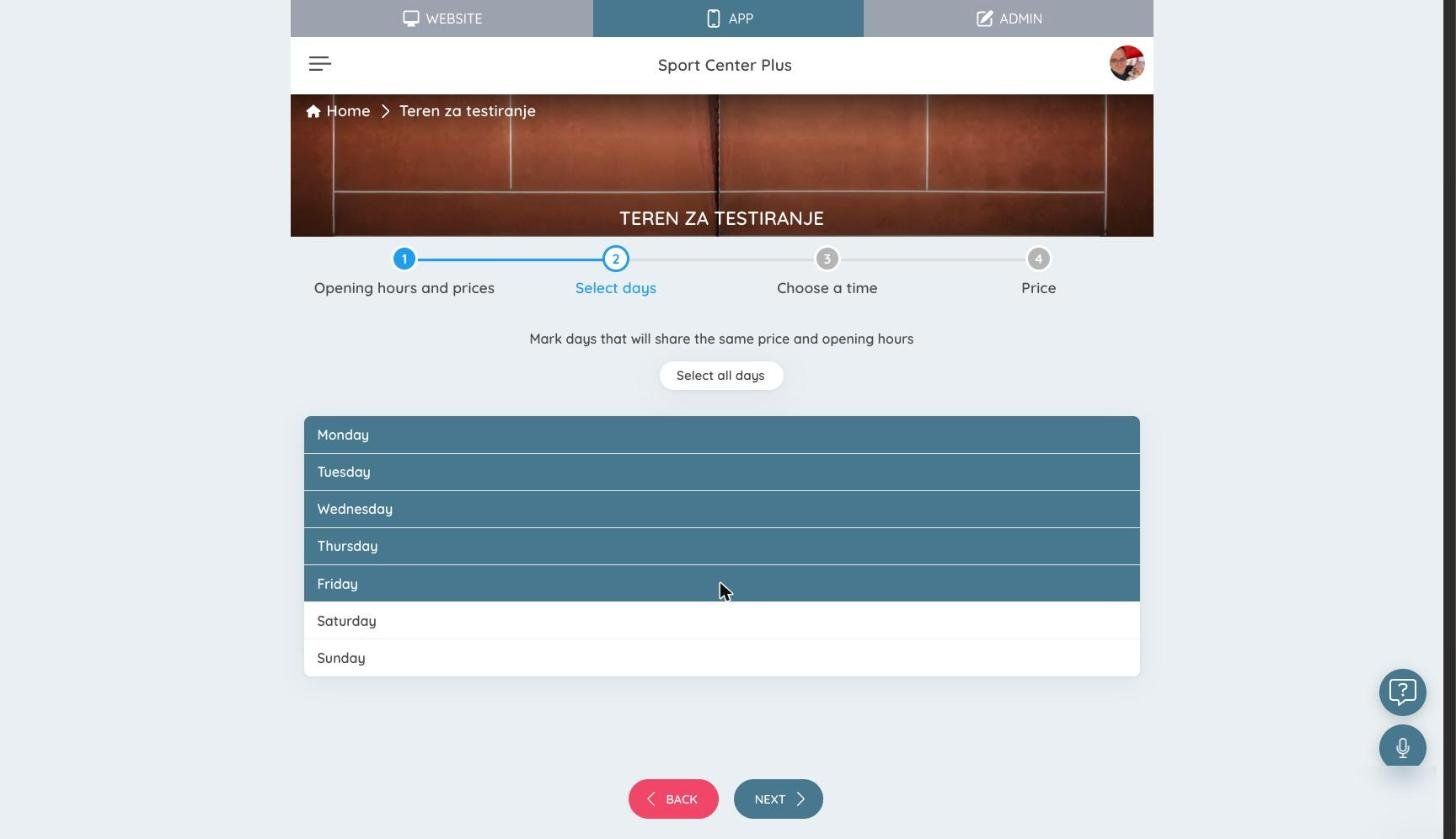
- Select days. Mark the days that share the same price and hours, such as Monday to Friday. Select all days marks the whole week. Choose Next.
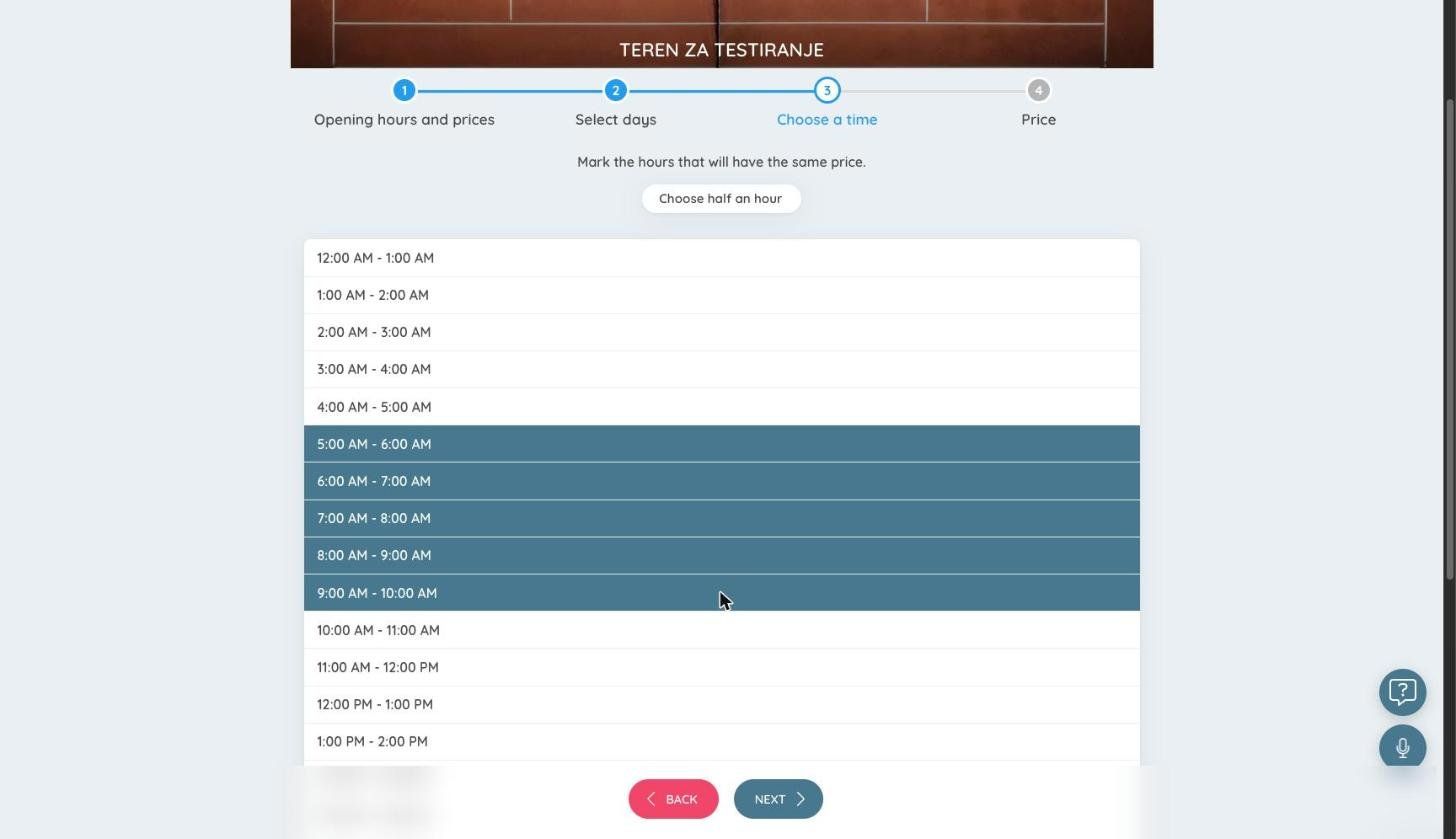
- Choose a time. Mark the hours with the same price, such as 5:00 AM to 10:00 AM. Choose half an hour lets you mark half hours, for a price that starts or ends on the half hour. Choose Next.
- Price. Enter the price of one booking slot.
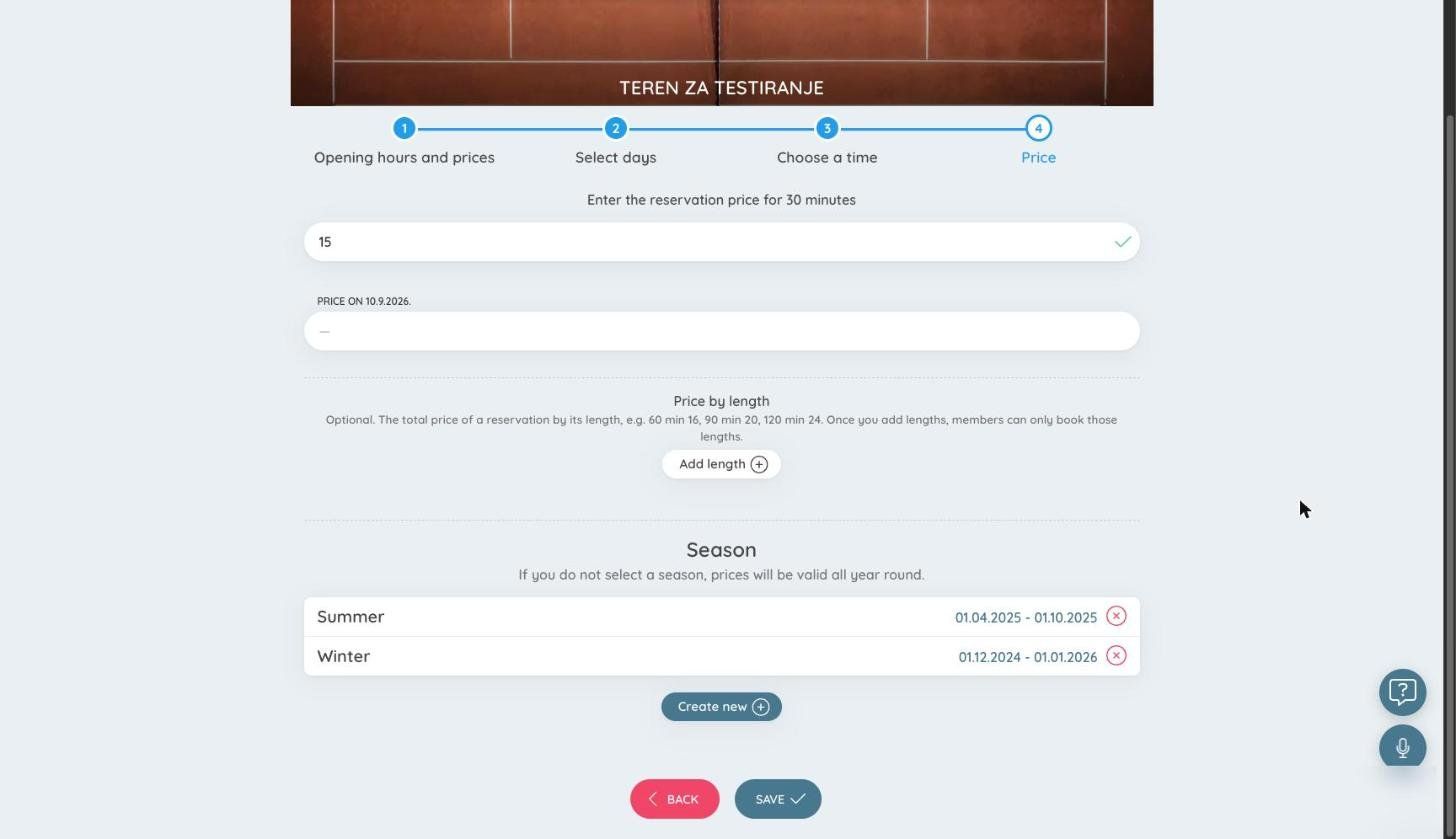
- Price on 10.9.2026 appears only for clubs that must show a reference price next to today's price, as Croatian law requires. Enter the price this slot had on that date.
- Price by length is optional. Choose Add length to set the total price of a booking by its length, for example 60 minutes for 16 € and 90 minutes for 20 €. Once you add lengths, members can only book those lengths.
- Season — leave every season unselected for a price that applies all year. Select one for a price that applies only in that season (see Seasonal prices). Click a selected season again to clear it.
- Choose Save.
The entry appears under the membership, with its days, hours and price:
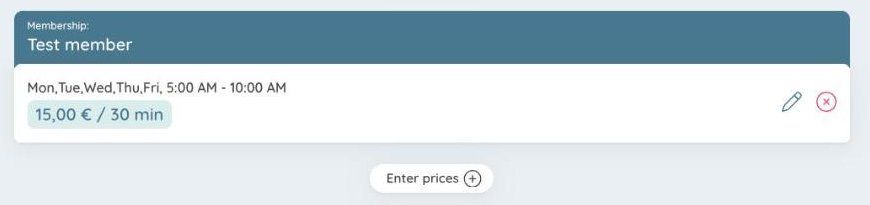
Add as many entries as you need, for example one for weekday mornings and one for weekend evenings. Make sure a membership's entries don't overlap. If two of them cover the same hour, you can't tell which price applies.
Repeat this for each court. To save time, see Copying prices to another court.
Changing or deleting a price
- The pencil on an entry opens the same steps, with the entry's days, hours and price filled in. Change what you need and choose Save changes.
- The red cross deletes the entry, after you confirm. Delete all, under a membership's entries, deletes all of that membership's prices on this court.
Seasonal prices
A season, such as Summer or Winter, has its own prices. Choose Edit seasons on the prices page to create seasons and set their dates. Show seasonal prices filters the list by season.
When a season is running on a court, the court uses only that season's prices, for every membership. Prices without a season don't apply until the season ends. So if a court has summer prices, enter the summer prices for each membership that should pay differently. A membership with no summer prices pays the summer price of its lower membership, or of the basic membership.
Falling back to another membership
By default, in hours where a membership has no price of its own, its members pay the basic membership's price. To fall back to another membership instead, set Lower membership on the membership's page, under Club Admin → Community → Memberships → Memberships.
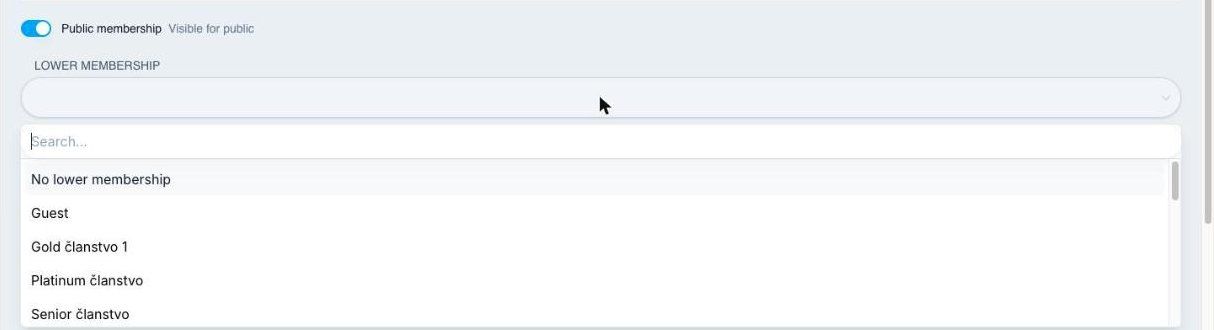
- Pick a membership, such as "Senior", and members of this plan pay the Senior price wherever their own plan has none.
- Choose No lower membership, and members of this plan can book only the hours their own plan has prices for. Use this for a plan limited to set hours, such as morning-only play.
Choose Save at the bottom of the page.
Copying prices to another court
Copy prices from another court, at the top of the prices page, copies another court's opening hours and prices, for every membership, to this court.
When several people play
Each player pays their share, at their own membership's price. Say a slot costs a member 10 € and a guest 20 €. If a member and a guest book it together, the member pays half of 10 €, which is 5 €, and the guest pays half of 20 €, which is 10 €.
Related pages
- Memberships — create plans and set their booking rules.
- Free court bookings — a membership that books for free.
- Price list — the price table shown on your booking page. It doesn't update itself, so change it when you change court prices.