Free court bookings
To let some members book courts for free, such as your coaches, staff or a sponsor, give them a membership whose court price is zero. Everyone else keeps paying as before.
It takes three steps:
- Create a private membership for them.
- Set its court price to zero on each court they may book for free.
- Give the membership to each member.
If they should get only a few free hours a month, not unlimited free play, see A monthly allowance instead.
1. Create the membership
Go to Club Admin → Community → Memberships → Memberships and choose Create new.
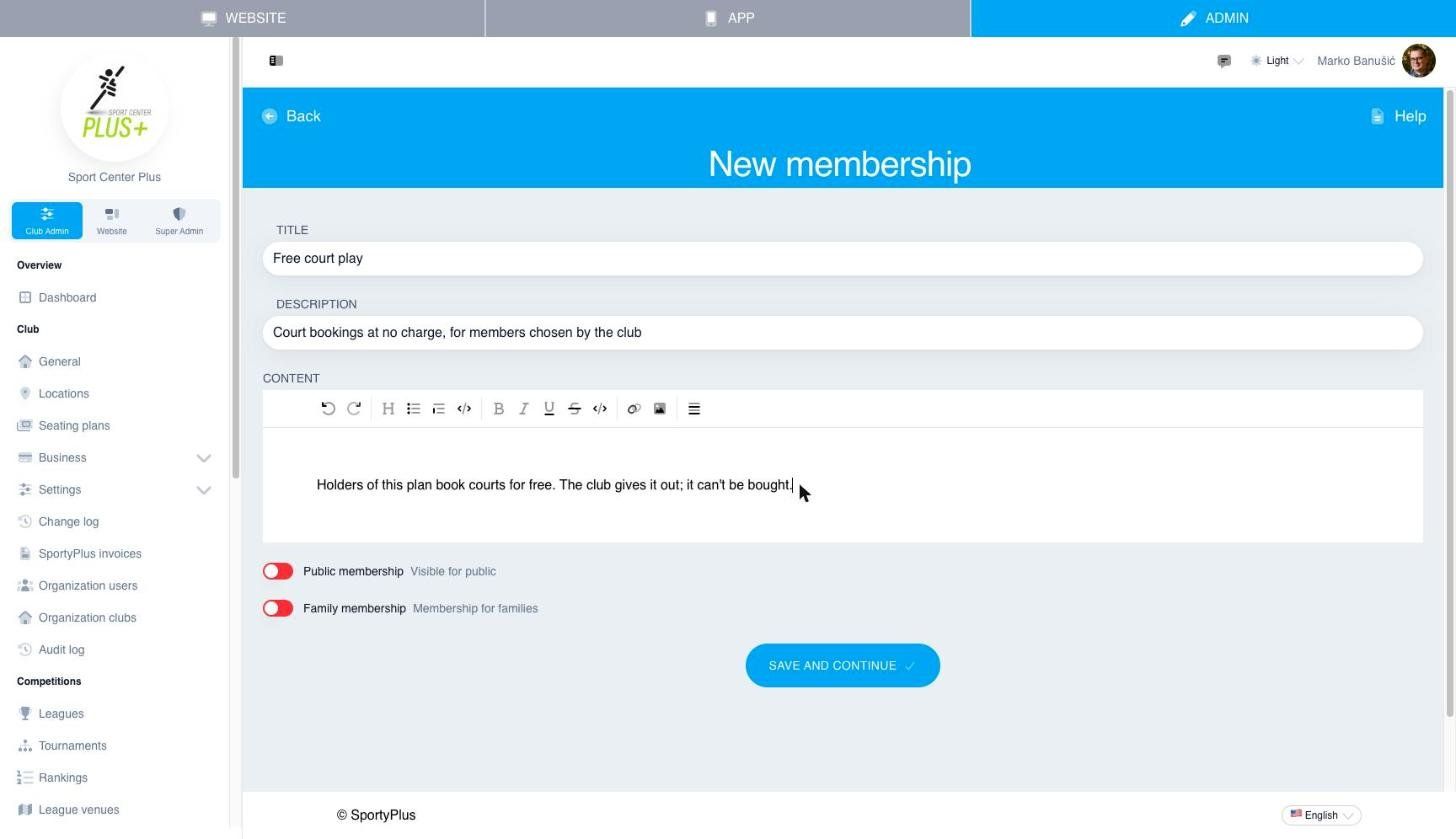
- Give it a Title your staff will recognise, such as "Free court play" or "Coaches", and a short Description.
- Switch Public membership off. A private plan isn't shown to members, so nobody can buy or ask for it. Only you can give it out.
- Choose Save and continue.
Don't create a sellable item for it: the plan isn't for sale.
On the edit page that opens you can set its other booking rules, such as how far ahead its members can book. Choose Save when you're done.
2. Make the courts free
Court prices are set per membership, in the member app. Open the App tab at the top of the admin, then the menu, then Court management. For each court the members should book for free:
- Choose Prices on the court's card.
- Find your new membership in the list and choose Enter prices under it.
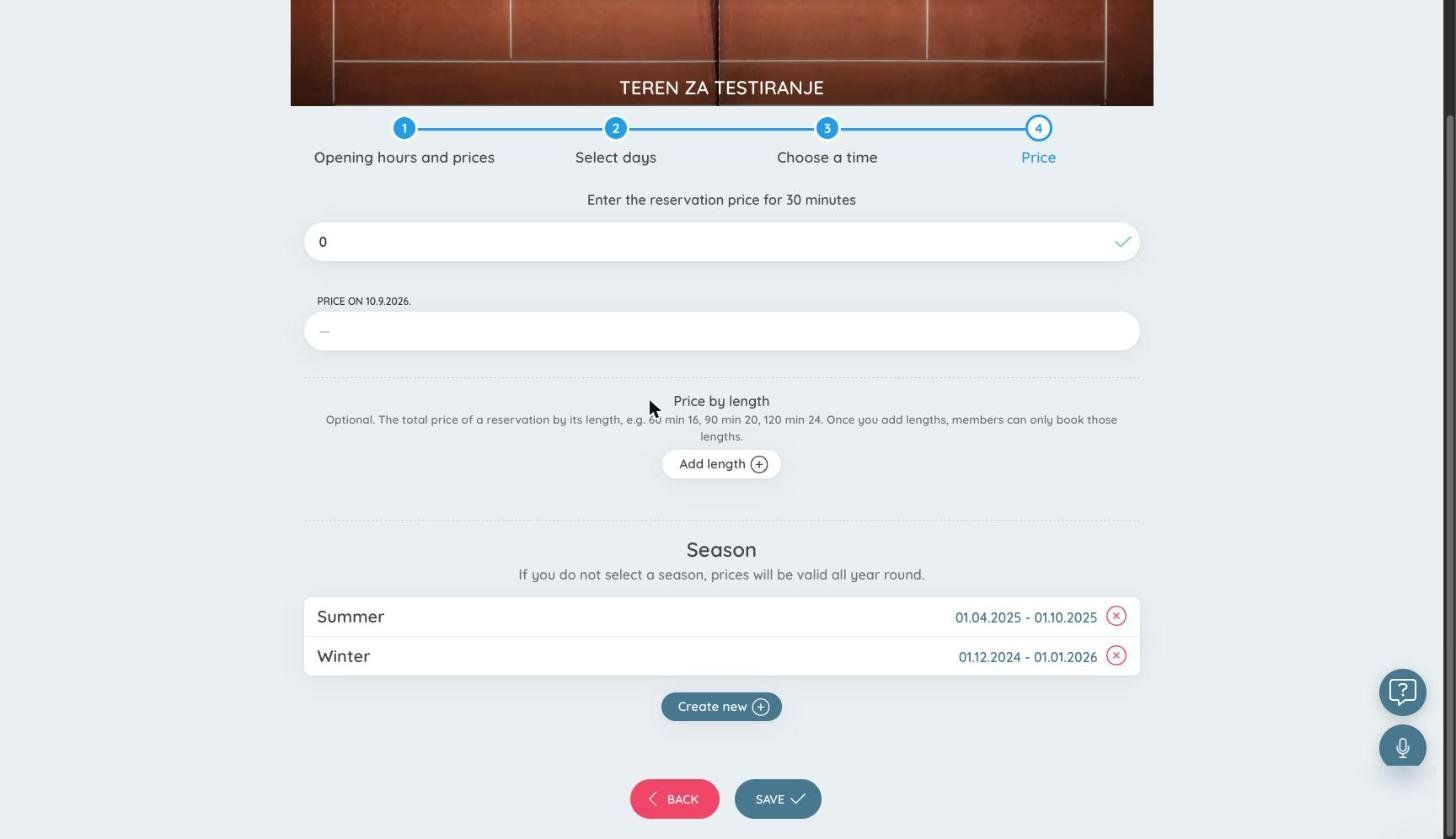
- Choose the days. Select all days picks the whole week.
- Choose the hours. Pick every hour the court is open, or only some hours, such as mornings.
- Enter 0 as the price.
- Under Season, leave every season unselected so the price applies all year. If a season is highlighted, click it to clear it.
- Choose Save.
The membership now shows 0,00 € for those hours:

Hours you don't price for this membership aren't free. In those hours its members pay the price of your basic membership, so you can make only off-peak hours free, for example. To make a court completely free, price every hour it is open.
If the court has seasonal prices, enter the 0 € price for each season too. While a season runs, the court uses only that season's prices (see Seasonal prices).
3. Give it to members
Go to Club Admin → Community → Members → Member list, open the member and choose Edit membership.
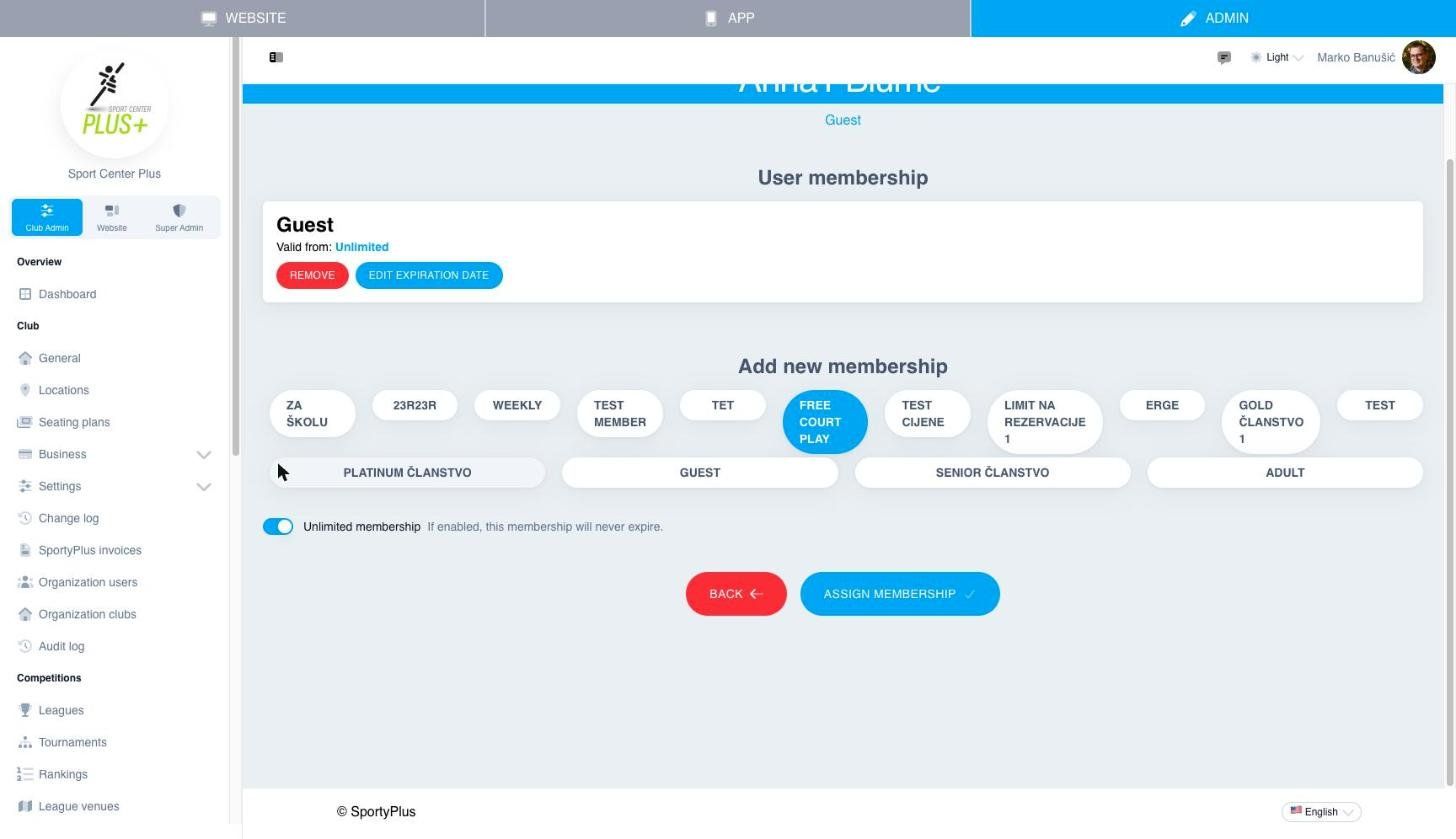
- Under Add new membership, pick your free plan.
- Switch on Unlimited membership, or set a start and end date, for example for the length of a coach's contract.
- Choose Assign membership.
- Then choose Remove on the member's previous membership, usually your basic one, such as "Guest".
Repeat this for each member. The change can take up to an hour to show up in the app.
What members pay
The free membership only covers its holder's share of a booking. When a booking has more players, each one pays according to their own membership. For example, if a coach with the free plan books a court with a guest, the coach's half is free and the guest pays their half.
Taking it away
Open the member's Edit membership and choose Remove on the free plan. They go back to your basic membership and pay normal prices again.
A monthly allowance instead
To give members a set number of free hours each month, rather than free play without limit, leave the court prices as they are and use Included hours. On the membership's edit page, under Booking rules, click Included hours.
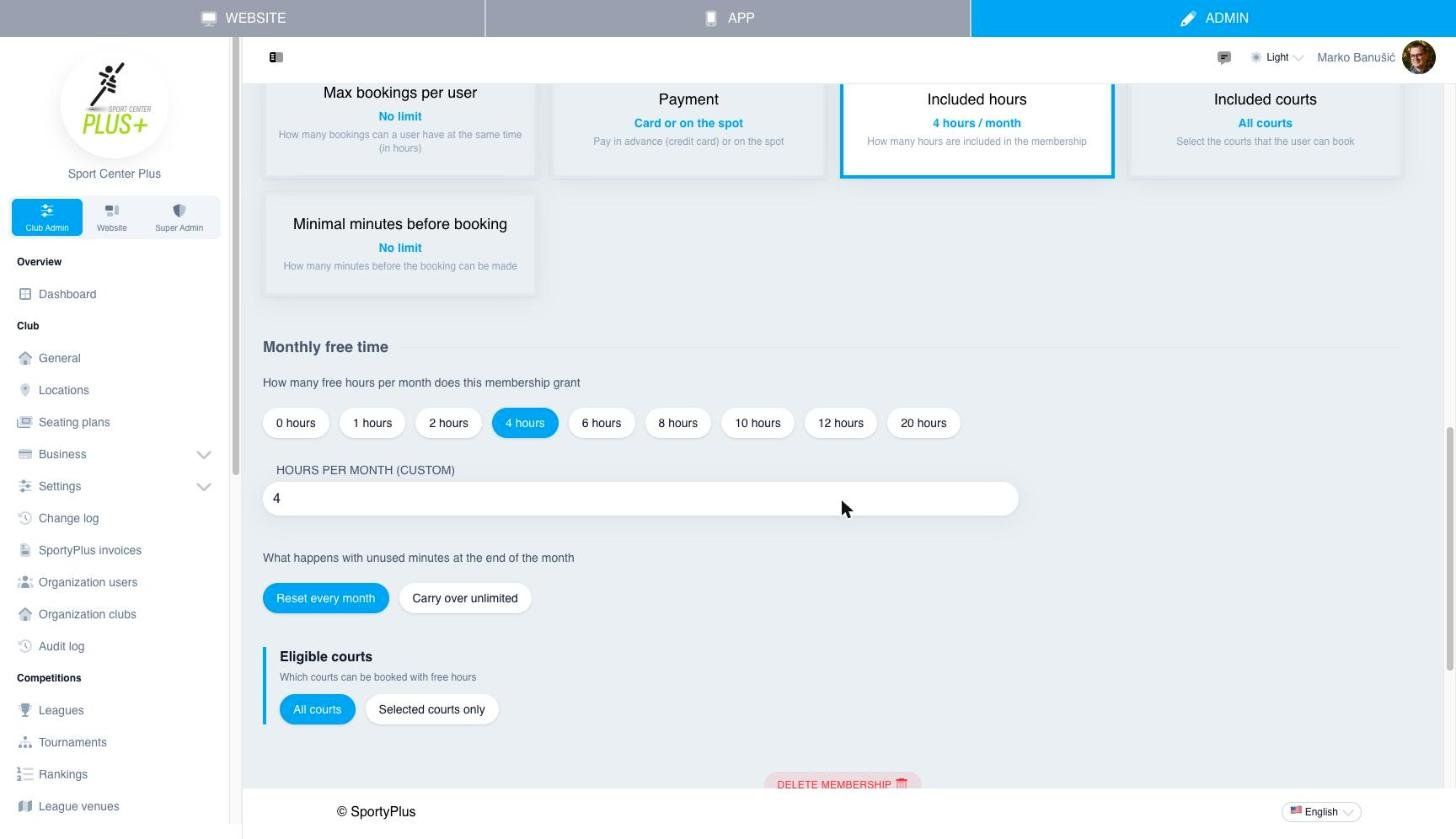
- Pick the number of free hours a month, or type your own under Hours per month (custom).
- Choose whether unused time is lost at the end of the month (Reset every month) or kept (Carry over unlimited).
- Under Eligible courts, keep All courts, or choose Selected courts only and pick them.
- Choose Save.
Members can then pay for a booking with their free hours. Once the hours run out, they pay the normal court price. Give the plan to members the same way, as in step 3.