Tour of the admin
Everything you manage in SportyPlus lives in the admin, at /admin on your club's address — for example https://yourclub.sporty.plus/admin. You need to be an administrator of the club to open it; anyone else is shown an "access denied" page.
The top bar
The three tabs across the top move you between the three faces of your club:
- Website — your public club website, as visitors see it.
- App — the member app, where members book courts and you manage courts and their prices. It only appears once your club has a domain.
- Admin — this admin.
Below the tabs, on the right, are the colour-mode selector (system, light or dark) and your name. Click your name for your own profile, orders, membership and sign-in settings, and to sign out.
The sidebar
The switcher under your club's logo picks which set of screens the sidebar shows:
- Club Admin — running the club: settings, members, memberships, competitions, emails, the shop, cameras, the academy and reports.
- Website — the content of your public website: pages, news, events, the gallery and the modules on the homepage. See Website builder.
- Super Admin — only visible to SportyPlus staff.
The sidebar only lists what your club uses. A club set up as a League, for example, has no courts, so it does not see the reservation and price-list settings or the cameras.
Collapse the sidebar with the button at the top left of the header, or press S.
The dashboard
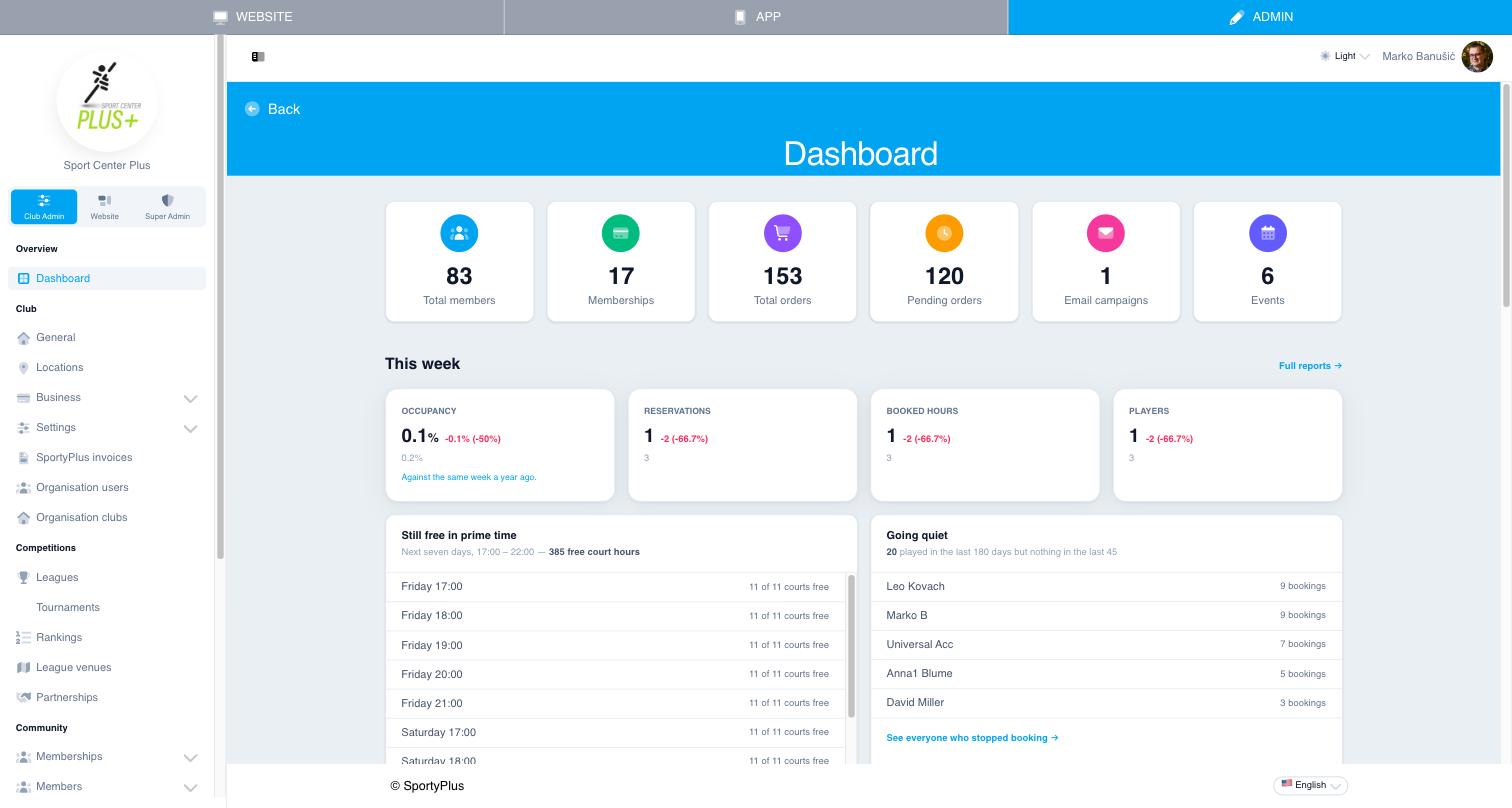
Club Admin → Overview → Dashboard is where the admin opens. Read it from top to bottom.
The tiles count your members, membership plans, all orders, orders still pending, email campaigns and events. Each tile links to its list.
This week compares the last seven days with the same seven days a year ago:
- Occupancy — booked hours as a share of all the hours your courts are open.
- Reservations, Booked hours and Players.
Still free in prime time lists the evening slots (17:00–22:00) over the next seven days that still have free courts. It is a list of court time you could still sell — for a promotion, a social post or a league night.
Going quiet lists members who played in the last 180 days but not in the last 45. They are the people to contact before they leave for good.
This year so far sums reservations, players, members and the share of bookings cancelled since 1 January, against the same stretch last year.
Further down you'll find booking and cancellation counts, the courts booked most in the last 30 days, a count of your staff by role, the newest members, and pending orders that need attention. Full reports opens Reports.
Changing the language
The language selector at the bottom right of every admin page changes the language of the admin for you. It does not change your club's website or what your members see — that is the club's Language, under General.
Next step
If you're setting up a new club, follow the first-week setup.