Selling seats
Seats are set up on the event itself. Open the event under Website → Events → Events, and scroll down to Sell event.
Switch the event to numbered seats
An event without products of its own shows two choices: Open admission and Numbered seats. Choose Numbered seats.
Choose the seating plan of the court or hall where the event is held, then Use this plan. The list shows your own plans and those of partner clubs that let you sell seated events at their venue.
The event gets its own copy of the plan, and moves to the plan's location. A preview of the map shows the plan, with each zone and how many seats and standing places it has.
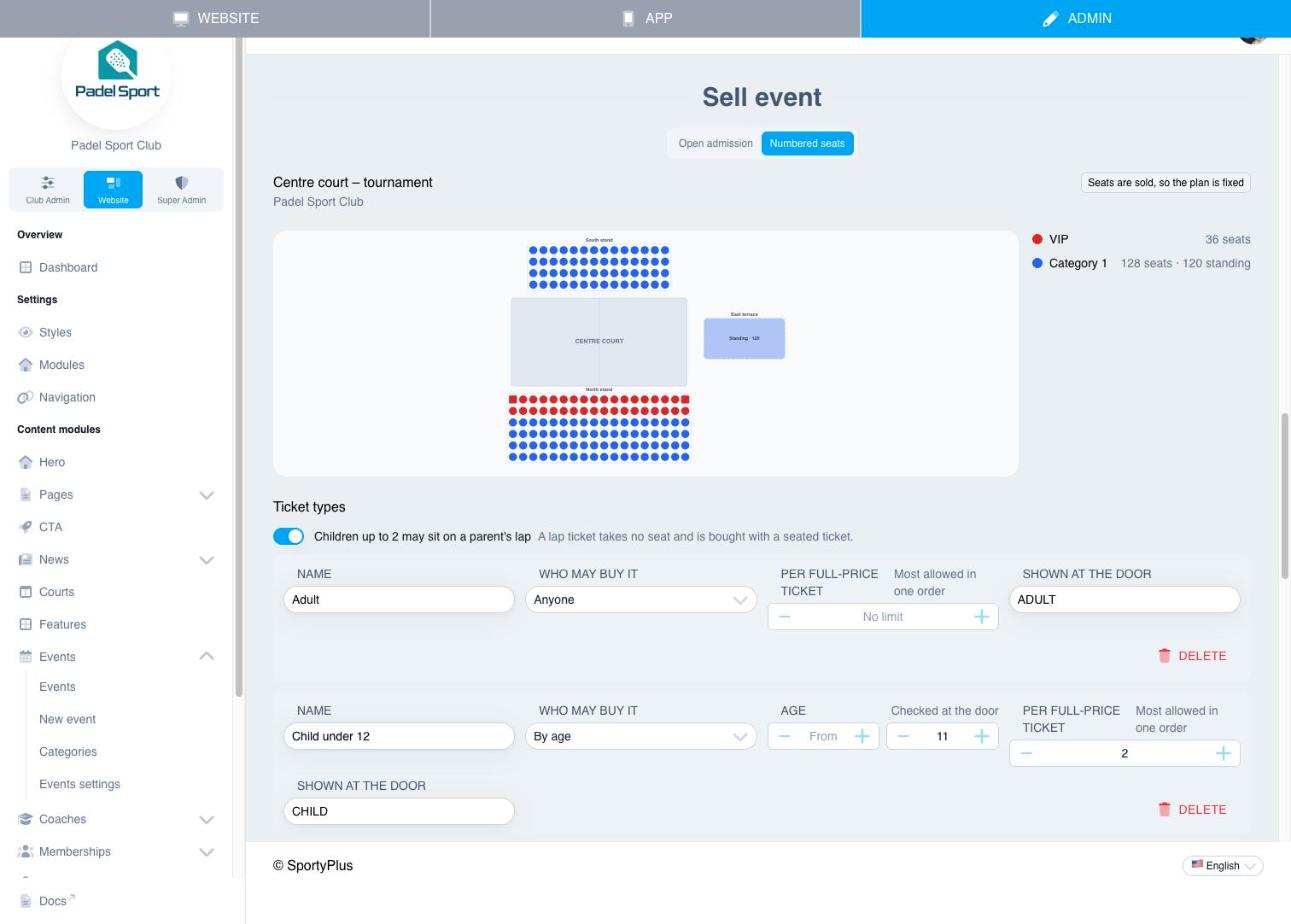
Until the first seat is sold or held in a checkout, you can:
- Apply the plan again, to pick up changes made to the plan since;
- Change plan, to seat the event from another plan;
- go Back to open admission.
After that, the plan is fixed for the event: the page says Seats are sold, so the plan is fixed. Ticket types and prices stay editable.
Ticket types
A ticket type is who a ticket is for: Adult, Child under 12, Member. Choose Add ticket type for each one, and set:
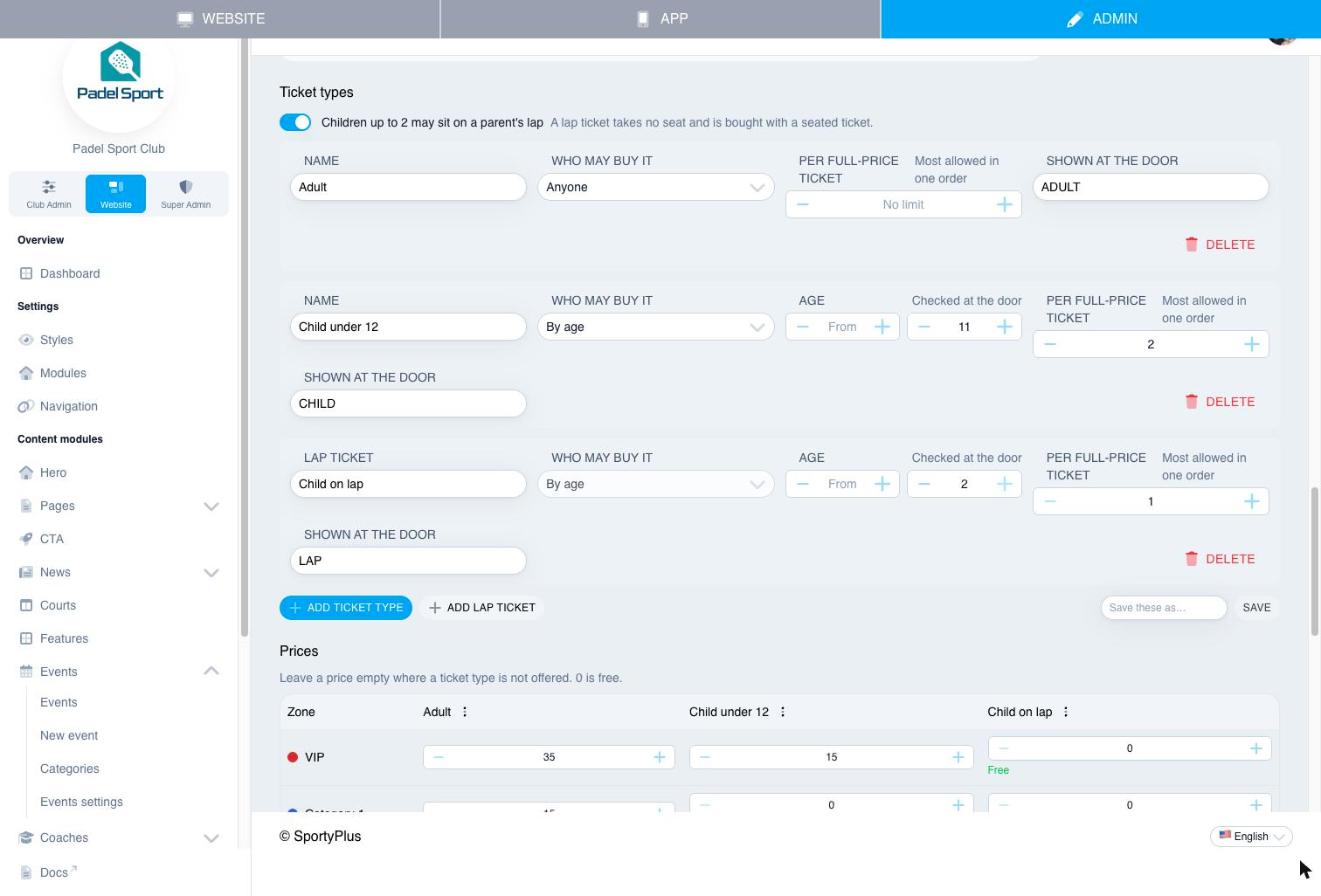
| Field | What it does |
|---|---|
| Name | What buyers see, such as Adult. |
| Who may buy it | Anyone; By age, with an age range that is checked at the door; or Members, with the memberships that qualify, checked at checkout against the person the ticket is for. |
| Per full-price ticket | The most of this type allowed per full-price ticket in one order, for example 2 children per adult. Leave it empty for no limit. |
| Shown at the door | A short word the door screen shows in large type, such as CHILD, so the steward knows what to check. |
Where the venue allows children on a parent's lap, switch on Children up to … may sit on a parent's lap and choose Add lap ticket. A lap ticket takes no seat. It is bought together with a seated ticket, at most one per seat, and it has its own QR code.
Prices
The price table has a row per zone and a column per ticket type. For each cell:
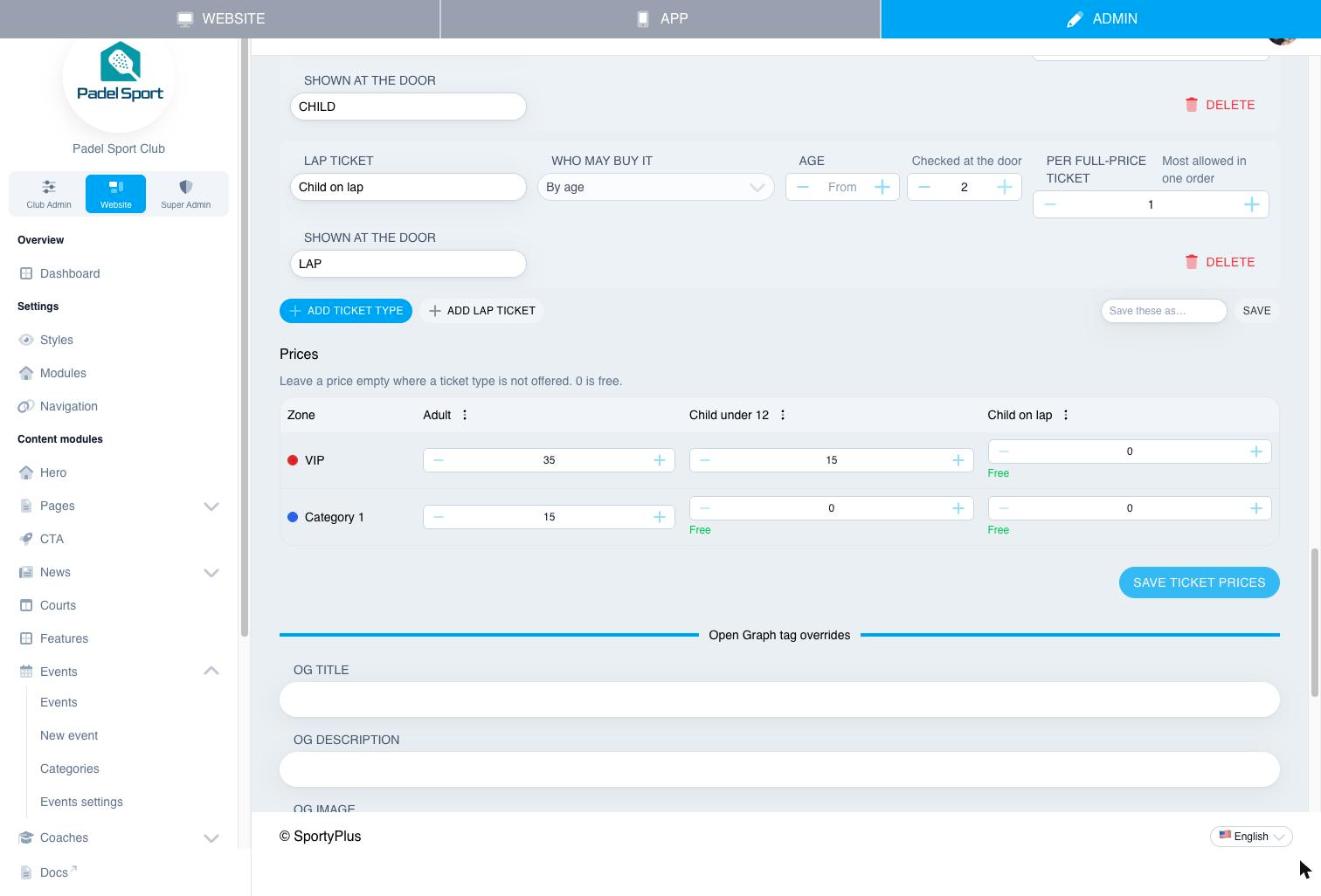
- enter a price;
- enter 0 to make it free, for example children free in every zone;
- or leave it empty where that ticket type isn't sold in that zone.
The menu on each column header fills the whole column with Free in every zone or Not offered anywhere.
Choose Save ticket prices. Each priced cell becomes a ticket product. These products are kept out of your shop and product lists, and they appear on orders and invoices by name, for example Padel Open – finals day · VIP · Adult.
What buyers see
On the event's page on your website, a seated event shows Choose seats instead of a list of tickets. Buyers sign in, then:
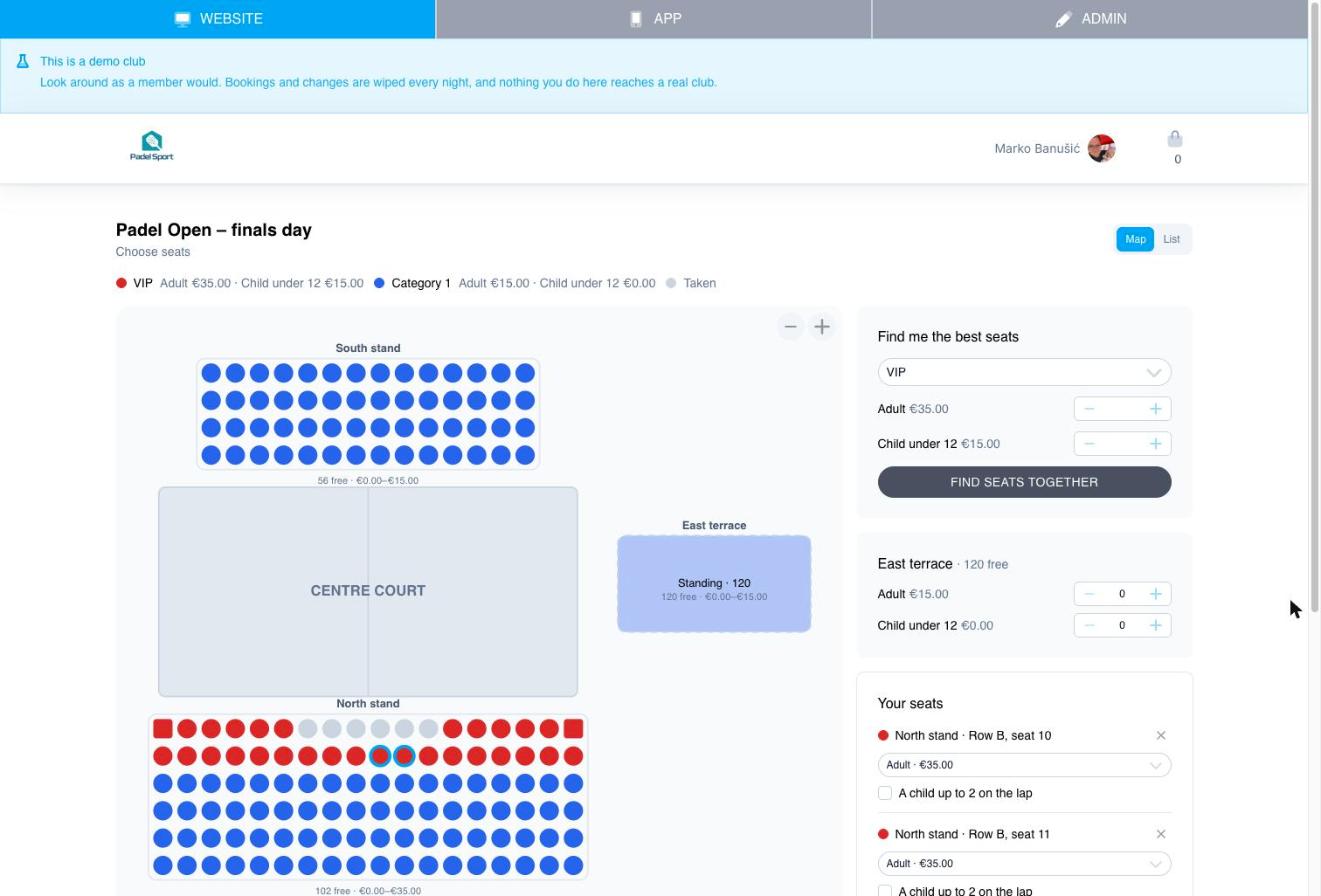
- Tap free seats on the map. Taken seats are grey. For each seat they choose the ticket type and, where allowed, tick A child up to … on the lap.
- For standing areas, they choose how many places of each ticket type.
- Or they use Find me the best seats: they pick a zone and how many tickets of each type, and SportyPlus finds seats side by side, as near the front and the middle as possible.
- Continue to payment holds the seats for 30 minutes and opens the usual payment page.
If someone takes a seat while they are choosing, the map refreshes and that seat drops out of their choice. If their choice leaves one free seat stranded between taken ones, they see a gentle warning, but they can still buy.
Their tickets, in the member app and on the website, show the section, row and seat, and so do the Apple Wallet, Google Wallet and Samsung Wallet passes.
The member app has the same seat picker. Staff can also sell seats at the till: see At the door and the till.
Who can buy what
- Member prices are checked at checkout against the person each ticket is for. A member can give a member-priced ticket to someone who isn't a member: they are told it is priced for members, but they can still give it.
- Ages are checked at the door, not at checkout. The door screen shows the ticket type in large type.
- Limits per full-price ticket are checked when the seats are chosen.